 NEXT-GEN ORDERING SYSTEM FOR RESTAURANTS
From table to order, in seconds.
Your customers scan the QR code, view the menu, and place their order. You manage orders, kitchen, bar, and bills from a single panel. No app download required.
SCANNING QR CODE…
Choosing from the menu
Order's in the kitchen!
Delivered in an average of 4 seconds
End-to-end management, one system
Everything your business needs, from customer experience to kitchen operations to accounting, in one place.
Fast Access with QR Code
Customers scan the QR code at their table and reach the menu in seconds, no app download needed.
Per-Guest Bill Splitting
Guests at the same table order under their own names; an itemized per-guest breakdown is generated automatically at checkout.
Automatic Order Approval
With the key you enable when no one's at the register, orders go straight to the kitchen without waiting for approval.
Item Cancellation (Undoable)
Cancel a wrongly entered order item with a single tap; undo it instantly if tapped by mistake.
Kitchen / Bar Station Separation
Tag products by station so food from the same order goes to the kitchen screen and drinks go to the bar screen.
Location-Based Table Matching
Phone location confirms the customer is at the correct branch, so table assignment happens securely.
Product Customization
Milk, sugar, size, and extra options let every product be shaped to the customer's request.
Real-Time Tracking
From the moment an order is confirmed to when it's served, every status updates live on the customer and kitchen screens.
Waiter Call System
Requests like bill, service, or cleaning are sent to the right staff member with a single tap.
Multi-Language and Multi-Branch Support
Manage multiple branches with menus in different languages, all from a single panel.
Real screens, real flow
Three panels, one flow: an order travels from customer to business, and from business to kitchen, in seconds. What you see below isn't a mockup — it's the app's actual screens.
Customer
Scans the QR code, browses the menu, customizes their product, and sends their order.
Request a demo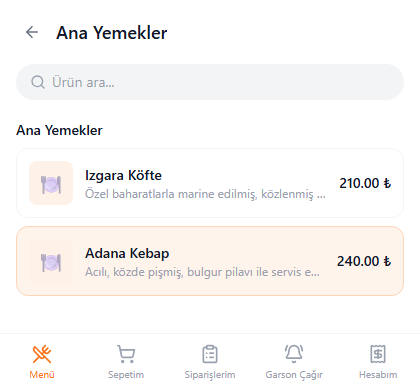
Business
Approves incoming orders (or leaves them on auto-approval), manages bills, and comps/cancels per item.
See the business panel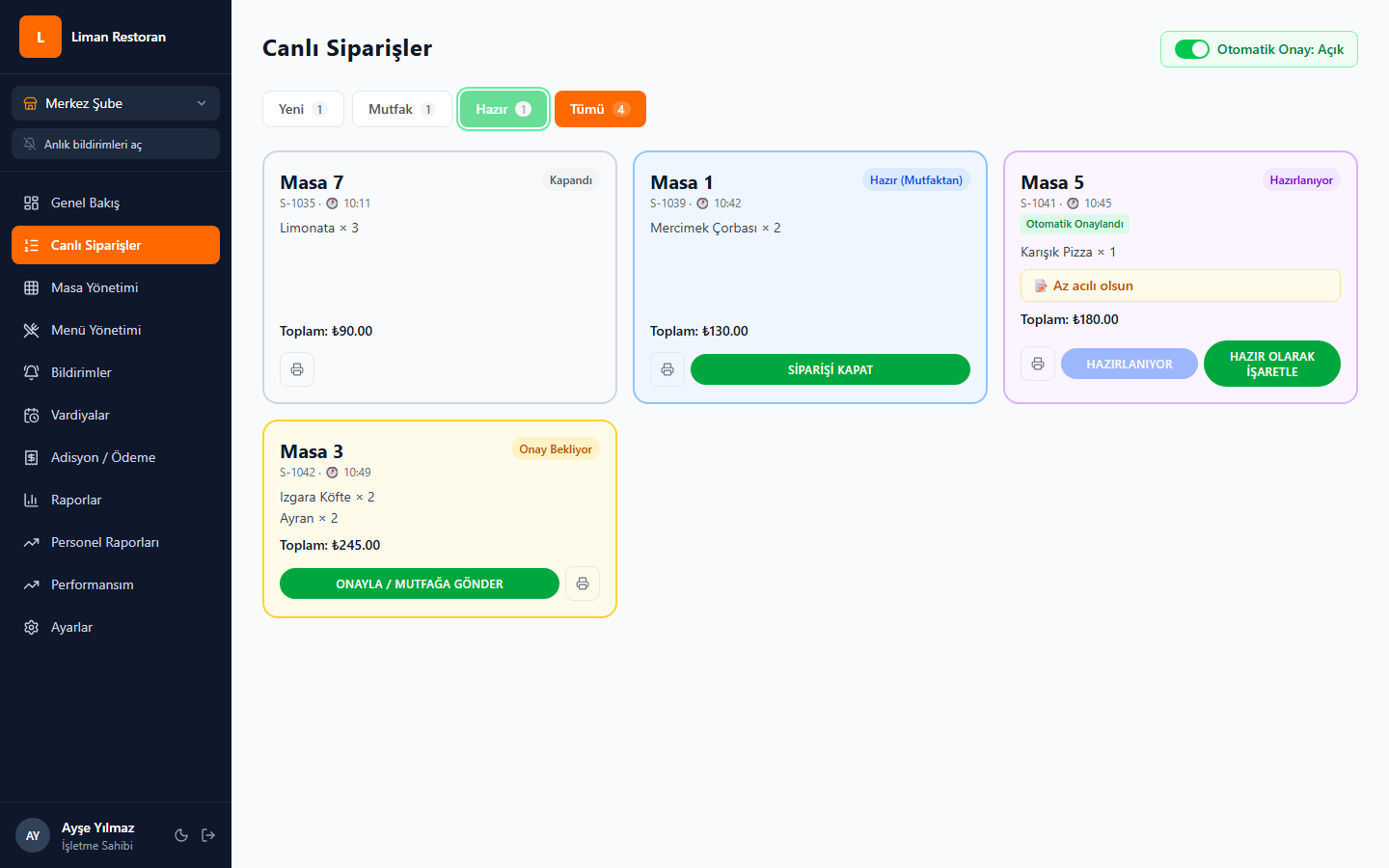
Kitchen & Bar
Sees approved orders by station; food is prepared in the kitchen, drinks at the bar.
See the kitchen panel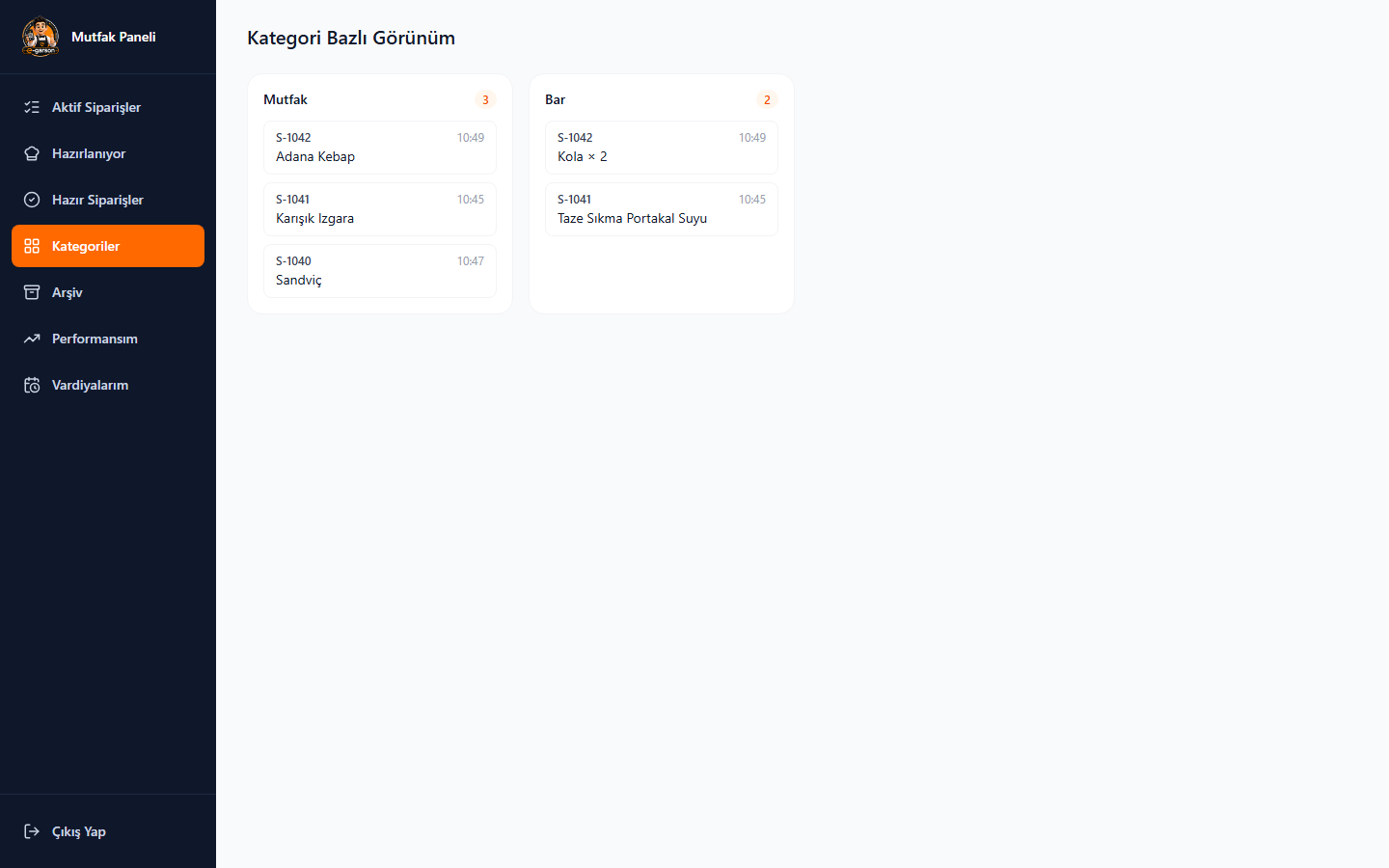
Bill & Payment
Guests at the same table order under their own names; an itemized per-guest breakdown is generated automatically at checkout, and partial payment is accepted.
Request a demo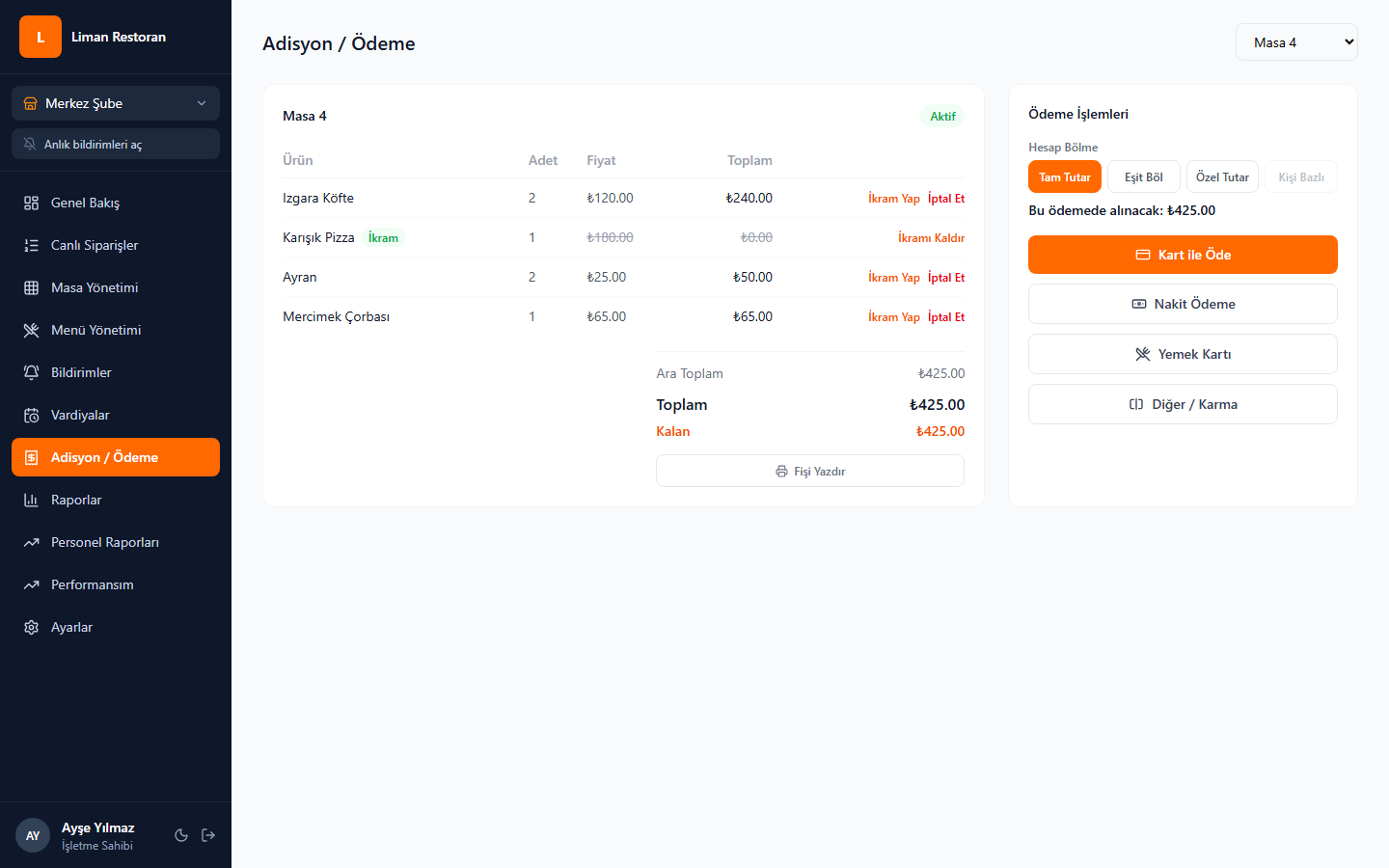
Seconds, for your customers
No app download, no account — just a camera and three steps.
Scans the QR
No app download needed — connects to the table instantly with the camera.
Chooses from the menu
Browses the visual menu, customizes their order, adds it to the cart, and sends it.
Gets instant updates
Order status (being prepared, ready, served) updates live.
Get in touch
Request a demo for your business or send us your questions — our team will get back to you as soon as possible.